Practical how-to guides
Clear instructions, useful pictures, and tools you can keep.
You can learn how.
Choose a small job, gather your supplies, and follow one step at a time. Each guide includes a checklist and a YouTube companion link for another visual.
Reviewed daily. Improved as useful changes are verified.
We schedule a daily review of definitions, how-to advice, cleaning safety, and dorm living ideas. We publish supported corrections and useful additions; a new guide is not guaranteed every day.
Latest completed content review: . See what changed
What would you like to do?
Pick a starting point, then choose one small task. You can combine it with the filters below.
Recently published illustrated guides
Latest illustrated guide · 2026-10-03
16 guides · Choose one to begin.
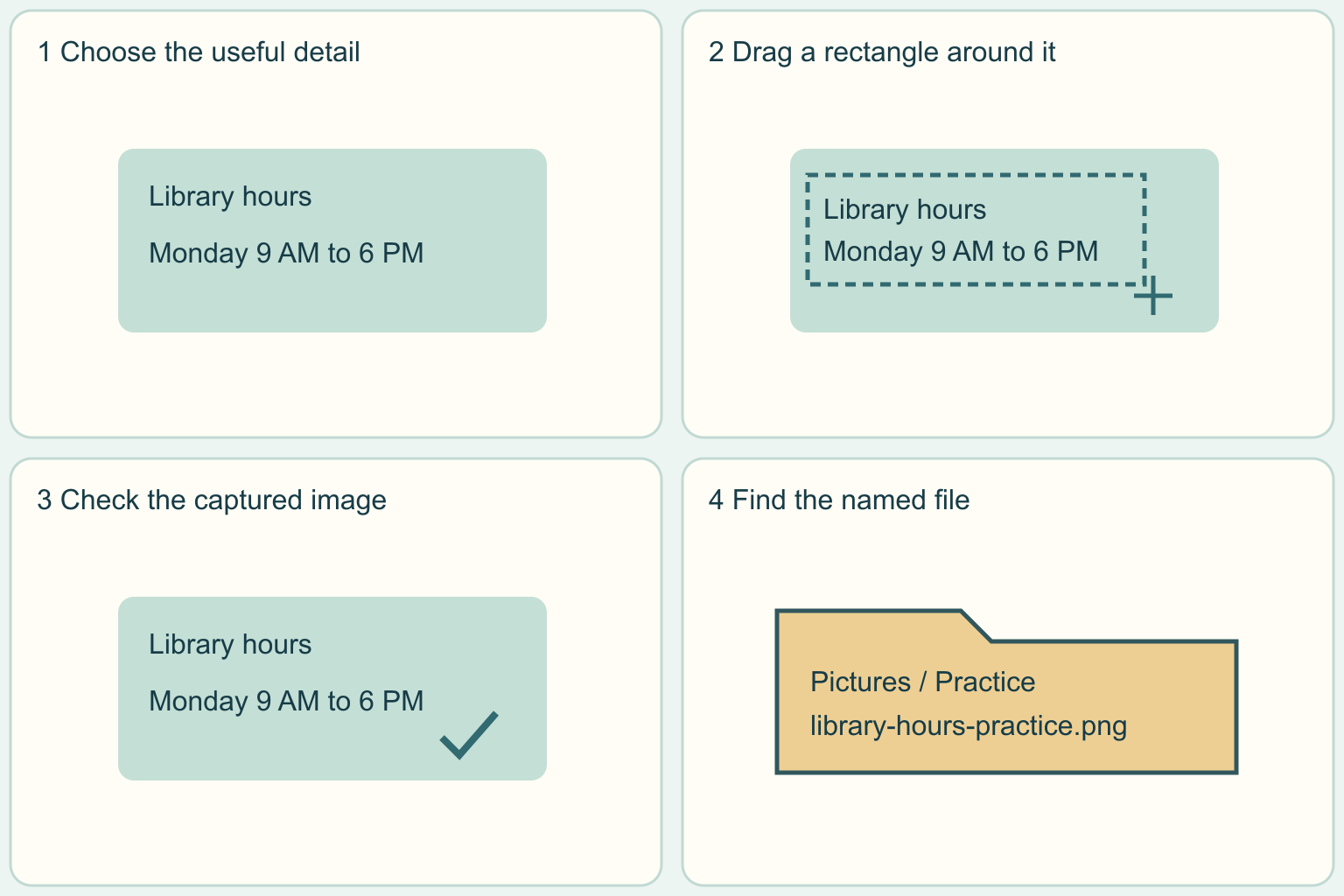
Take a screenshot of part of your screen
Capture one part of your screen on Windows or Mac and check the saved image before sharing.
4 clear steps · checklist & download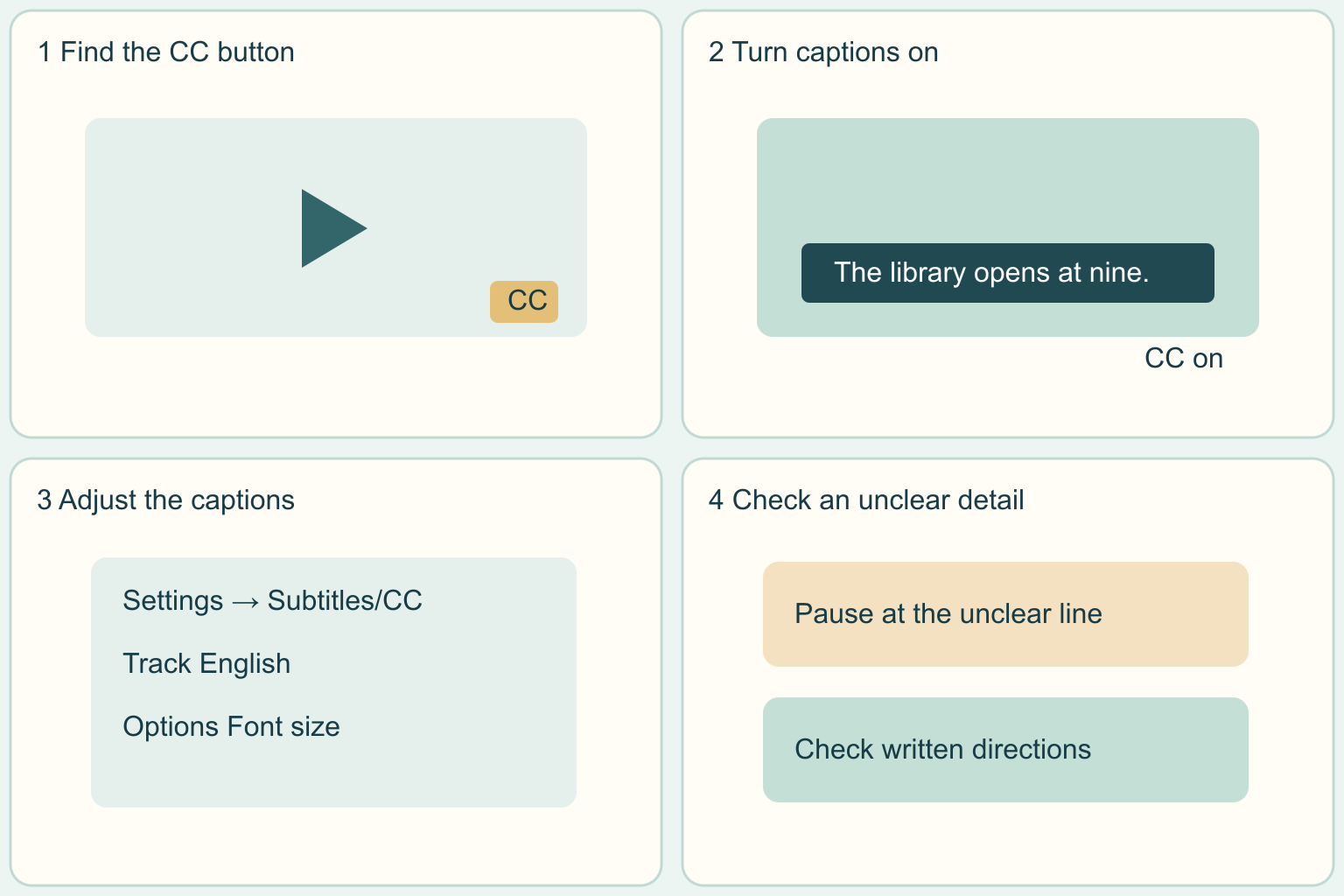
Turn on and read captions on YouTube
Find the CC button, check what appears and make the words easier to read.
4 clear steps · checklist & download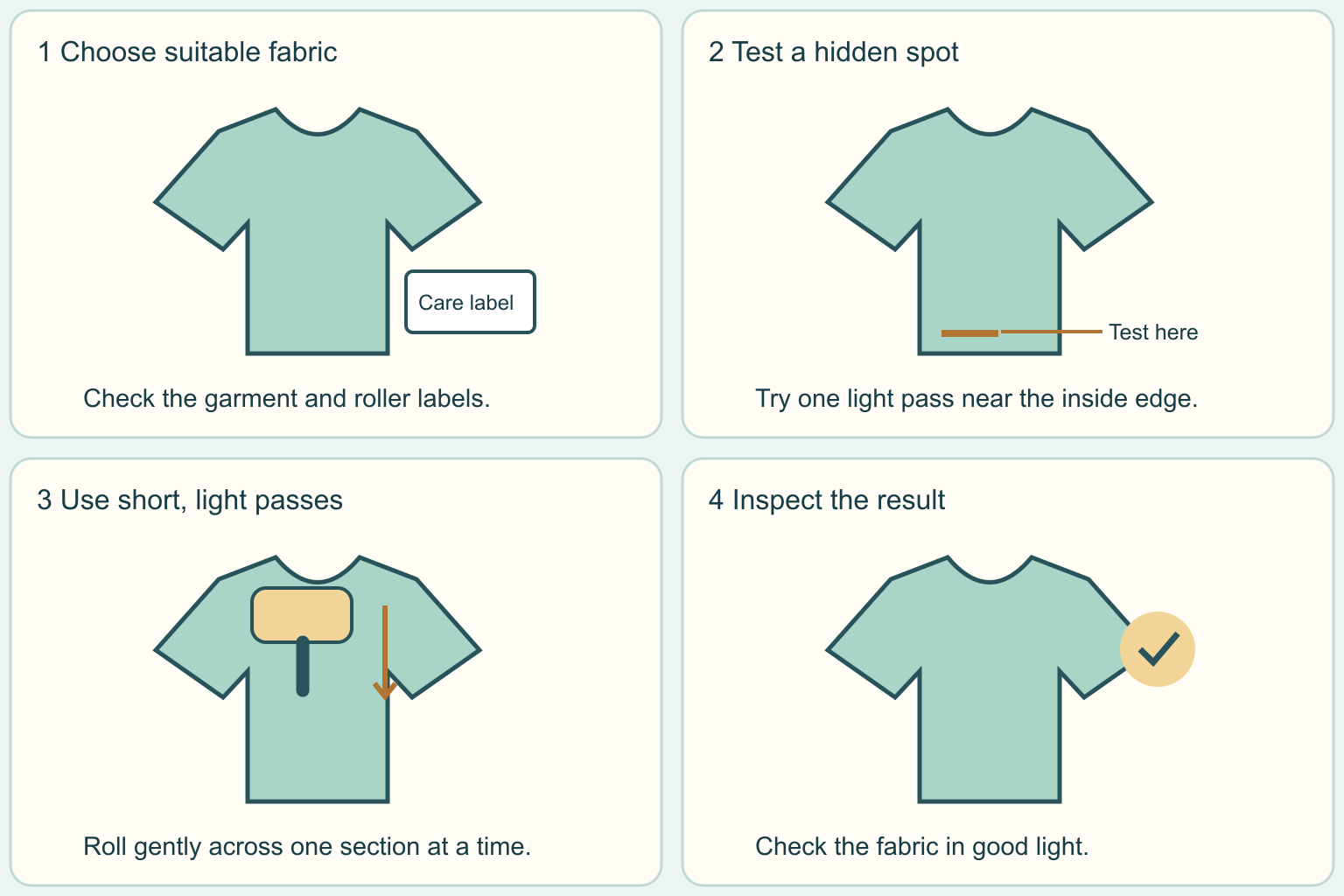
Remove loose lint from clothing with a lint roller
Check the fabric, test a hidden spot and use light passes to pick up loose fluff.
4 clear steps · checklist & download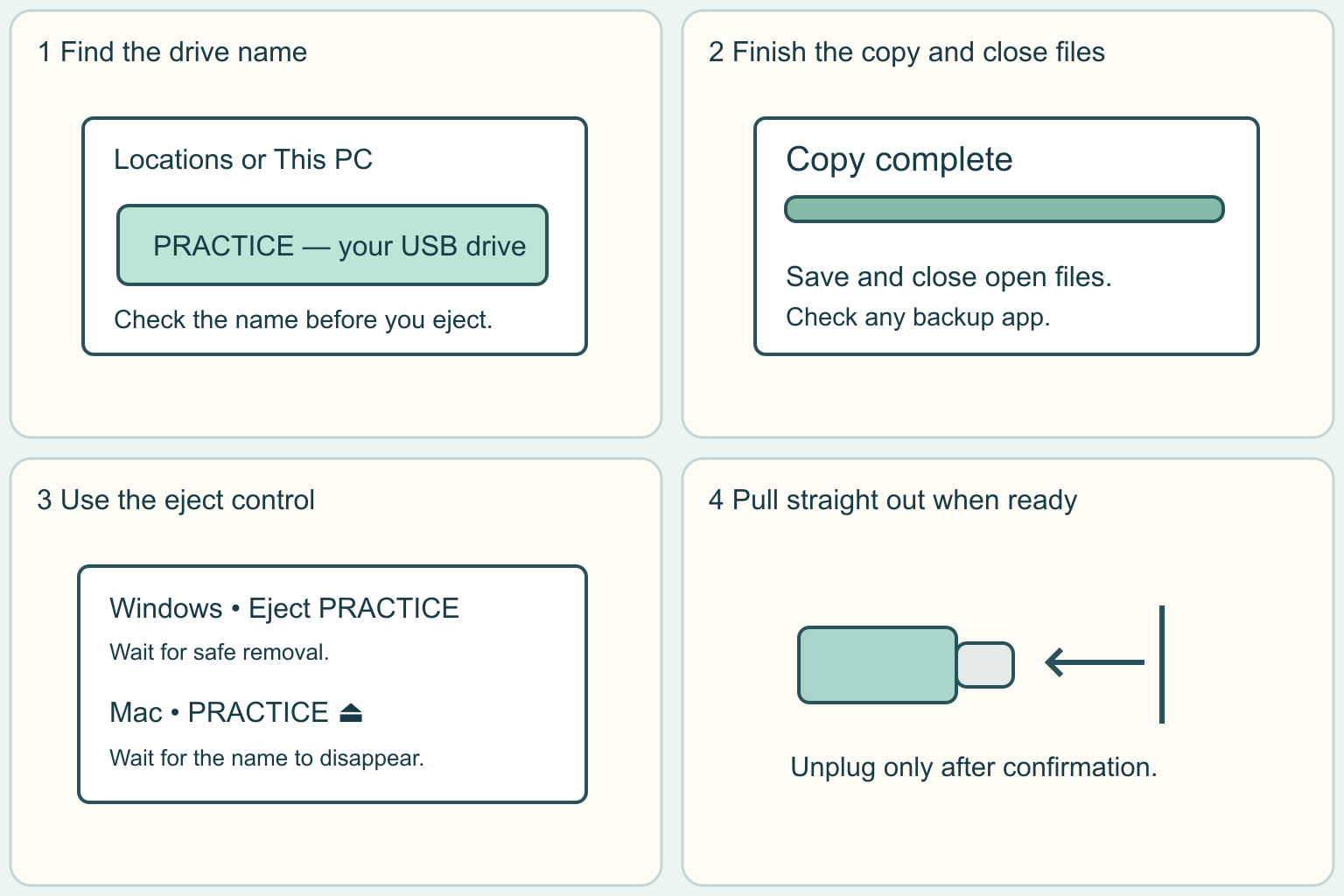
Safely eject a USB flash drive
Finish using your files, eject the correct drive and wait before unplugging.
4 clear steps · checklist & download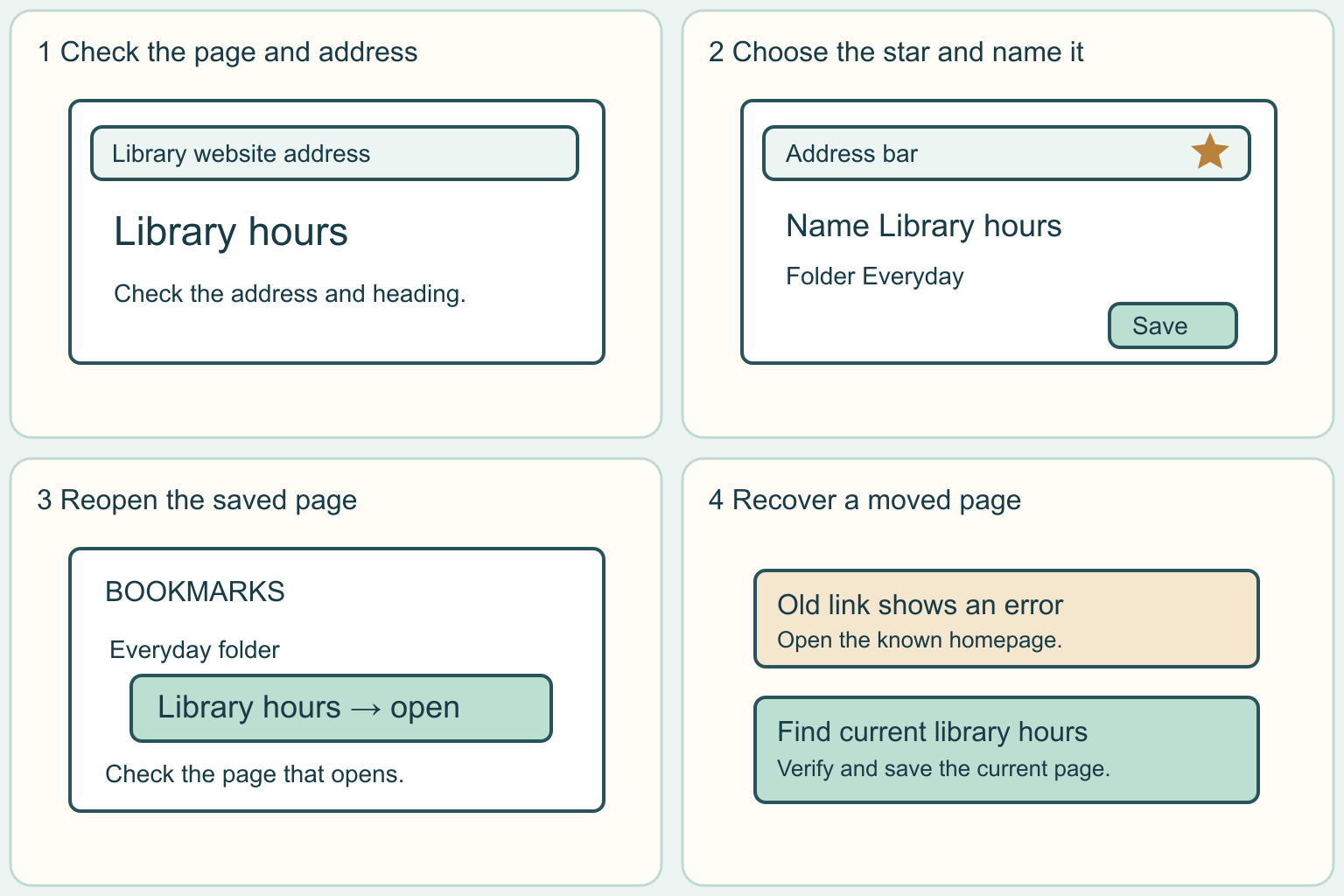
Save a web page as a browser bookmark
Save one useful page, give it a name and practice finding it again.
4 clear steps · checklist & download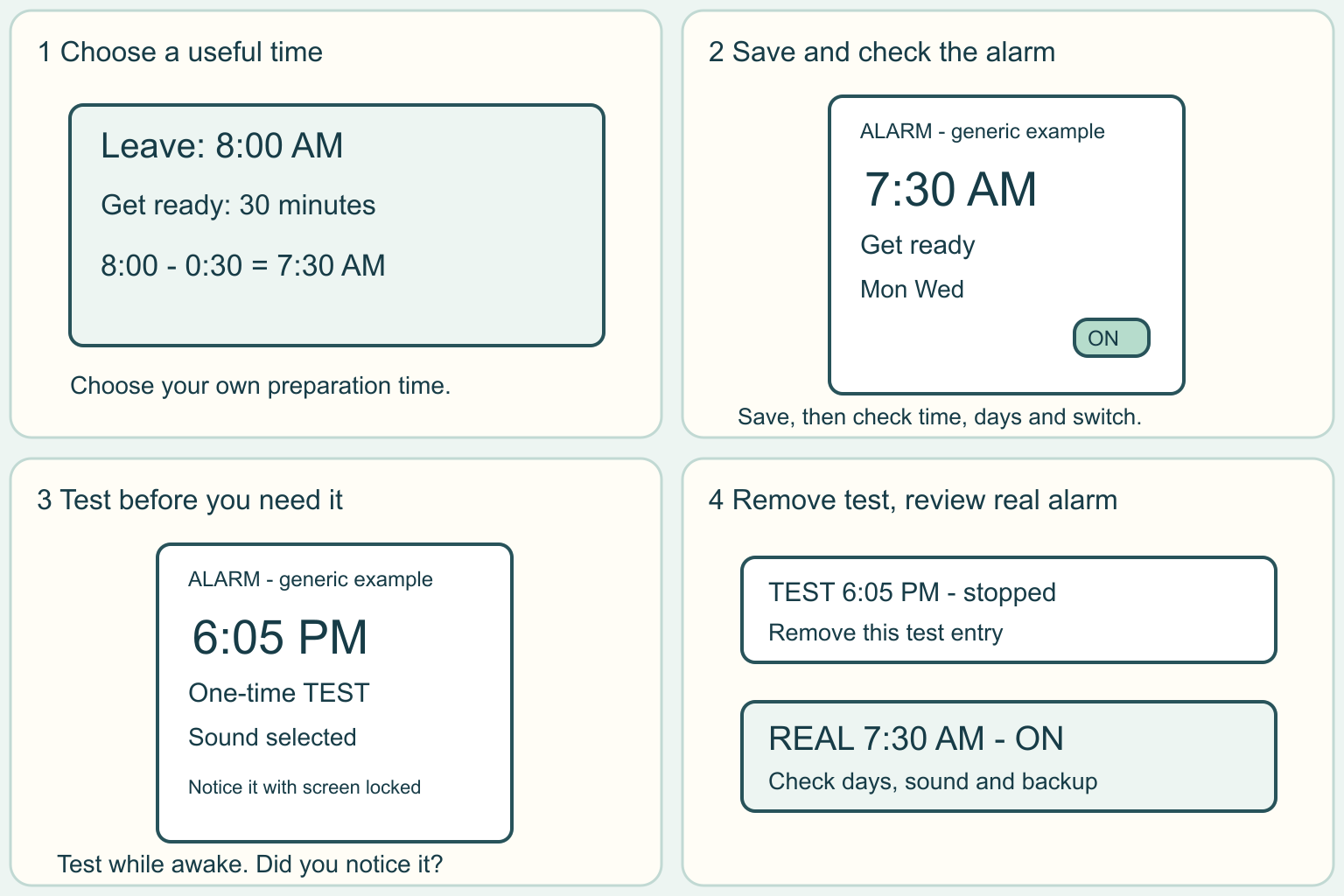
Set and test a phone alarm for an ordinary morning
Choose a time, save an alarm, and test it before you need it. Use your own phone instructions when the buttons look different.
4 clear steps · checklist & download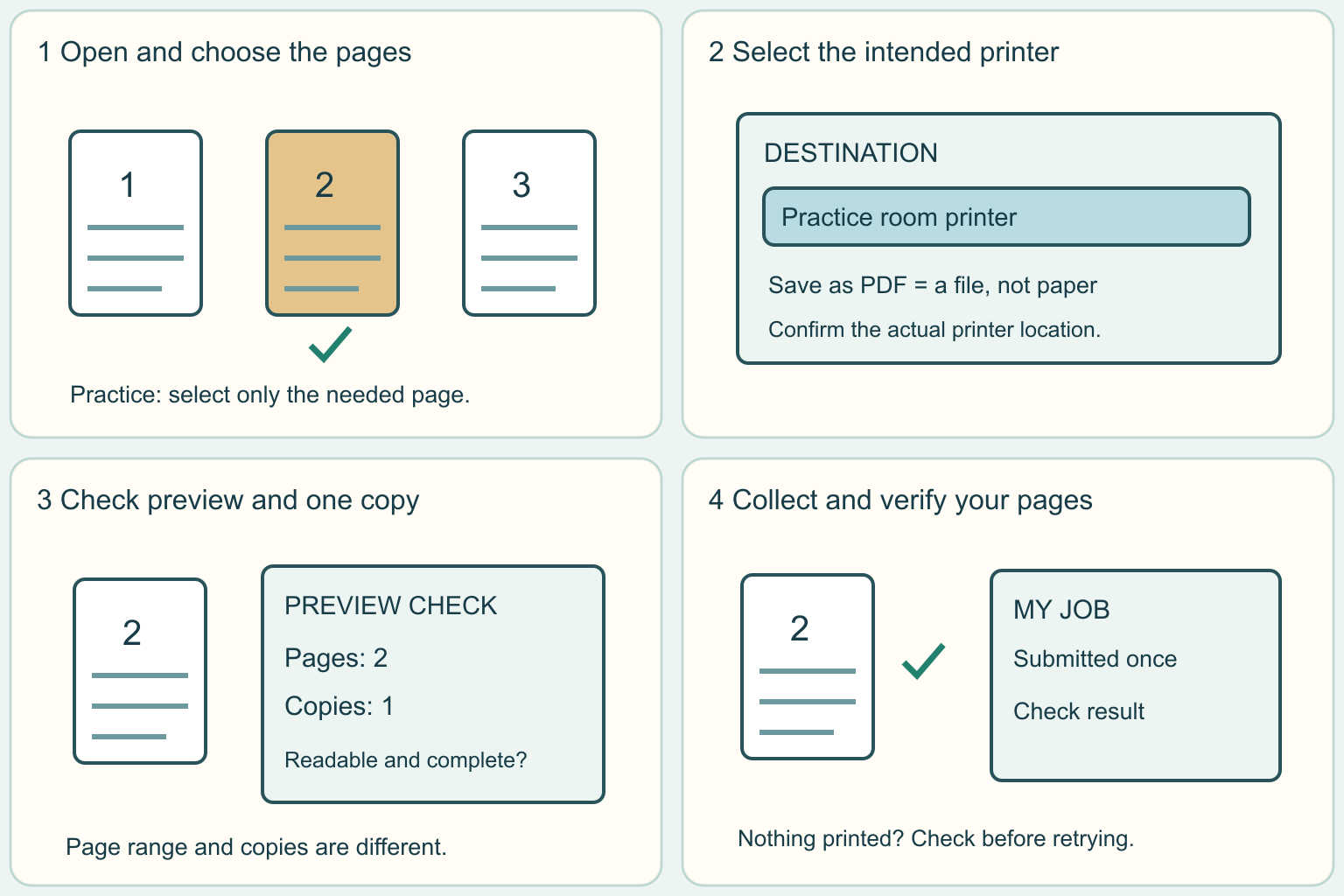
Preview and print one document without extra copies
Check the file, choose the intended printer, review one copy, and collect the right pages. Use a harmless practice page first.
4 clear steps · checklist & download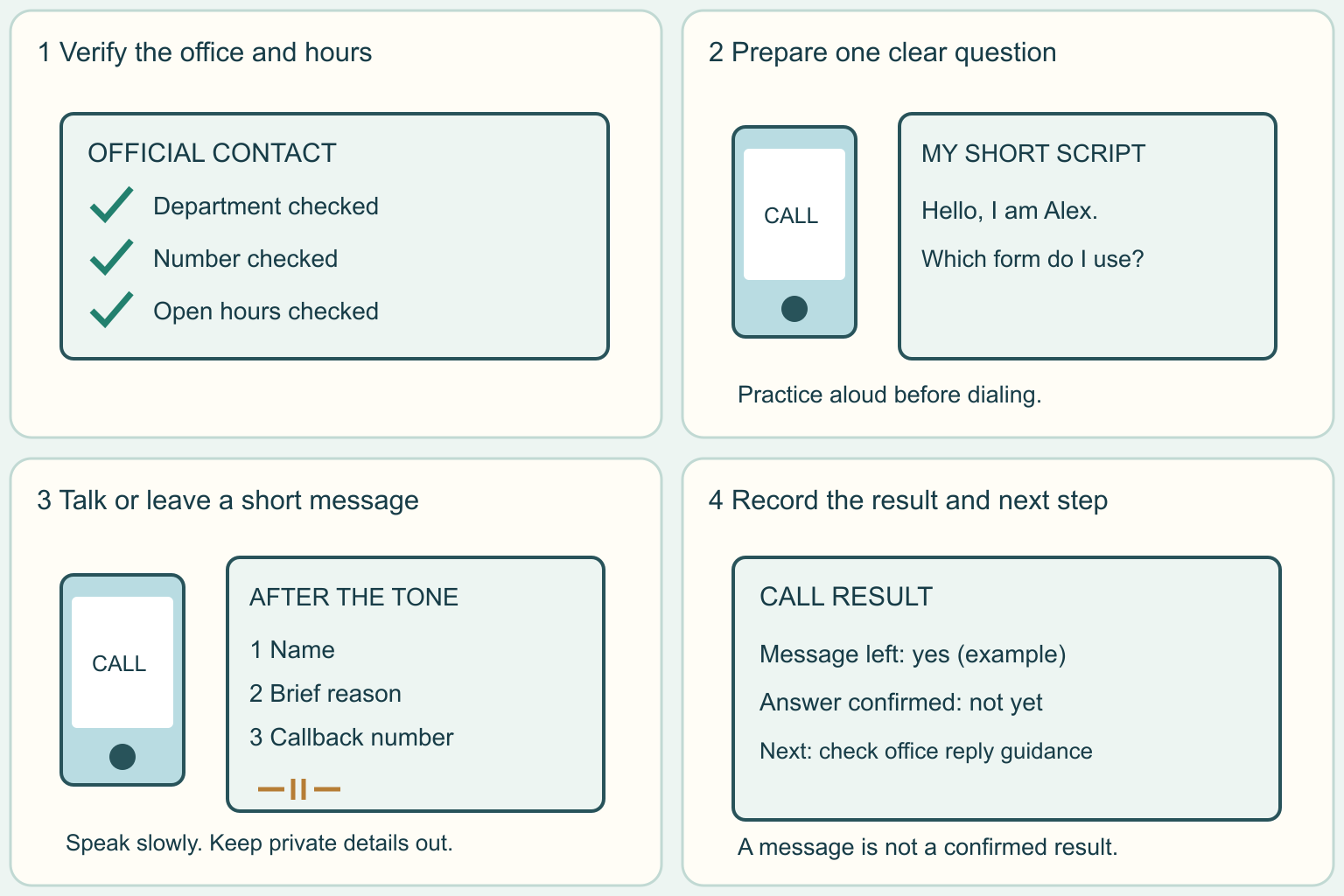
Make a routine office call and leave a clear voicemail
Prepare one simple question, call a verified office number, and know what to say if a person or voicemail answers.
4 clear steps · checklist & download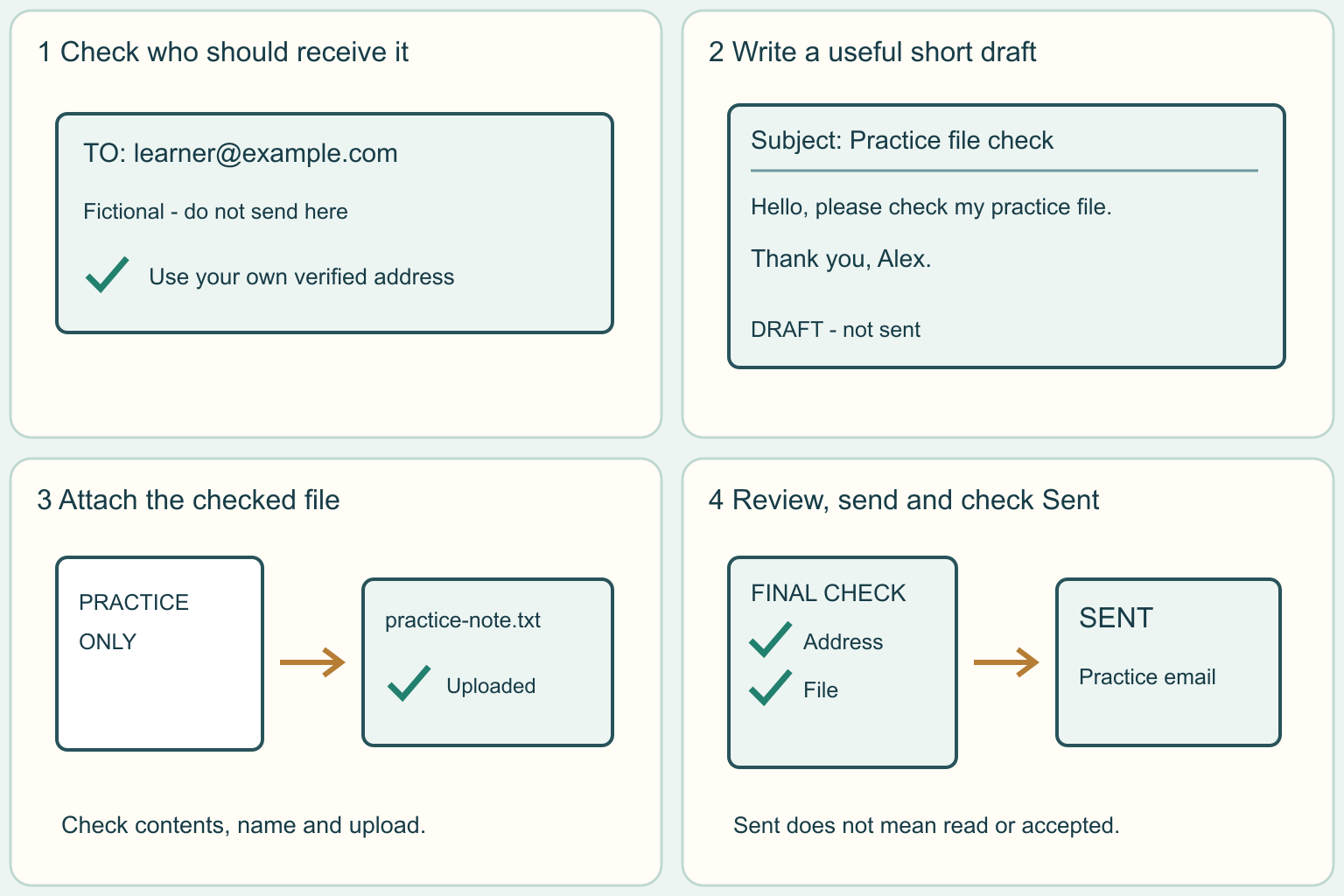
Write a clear email and attach the right file
Practice one short message, check the recipient and attachment, and learn how to confirm it left your drafts.
4 clear steps · checklist & download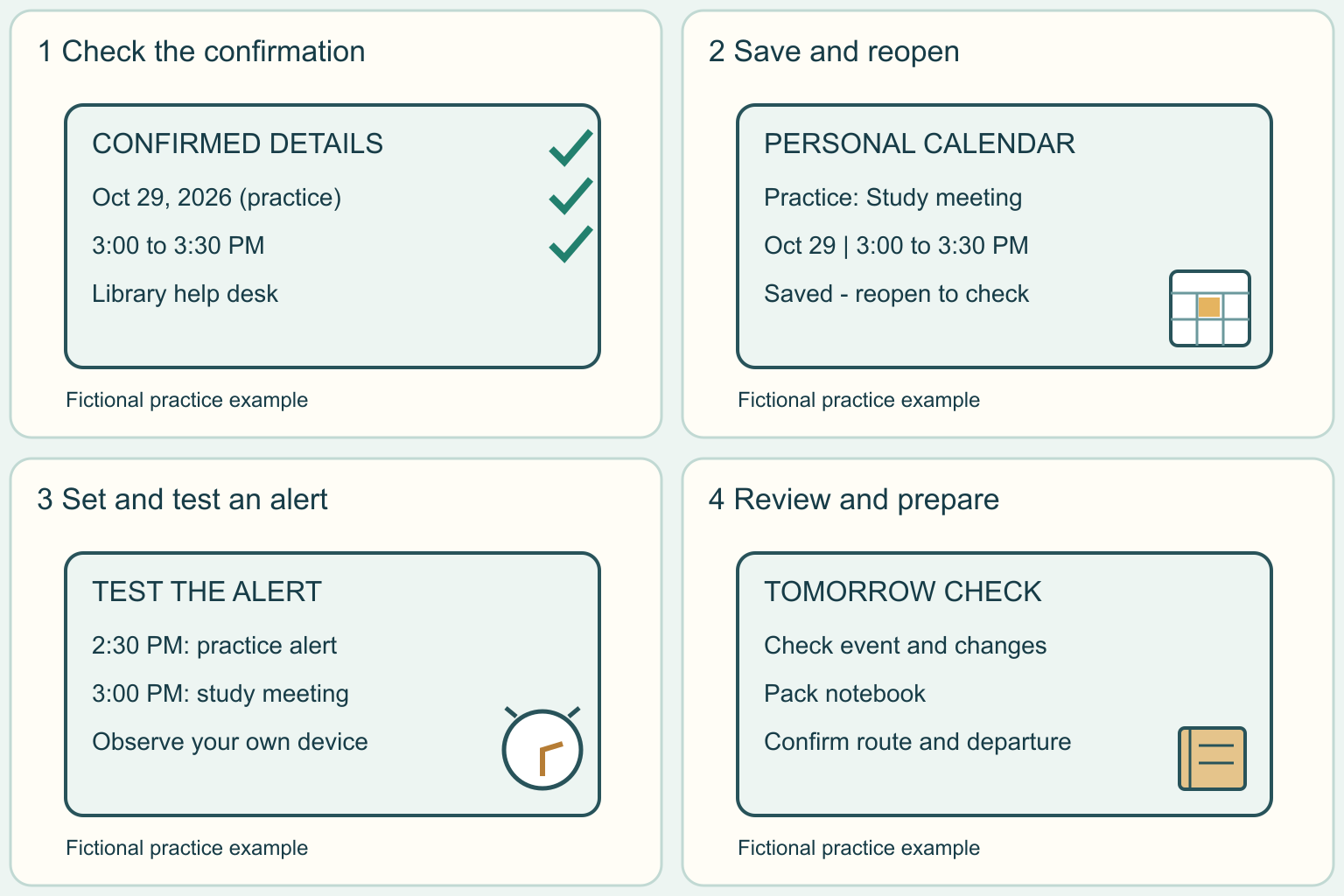
Put one appointment on your calendar and test an alert
Add one confirmed event, save a reminder, and practice finding it again. You can start with a harmless practice event.
4 clear steps · checklist & download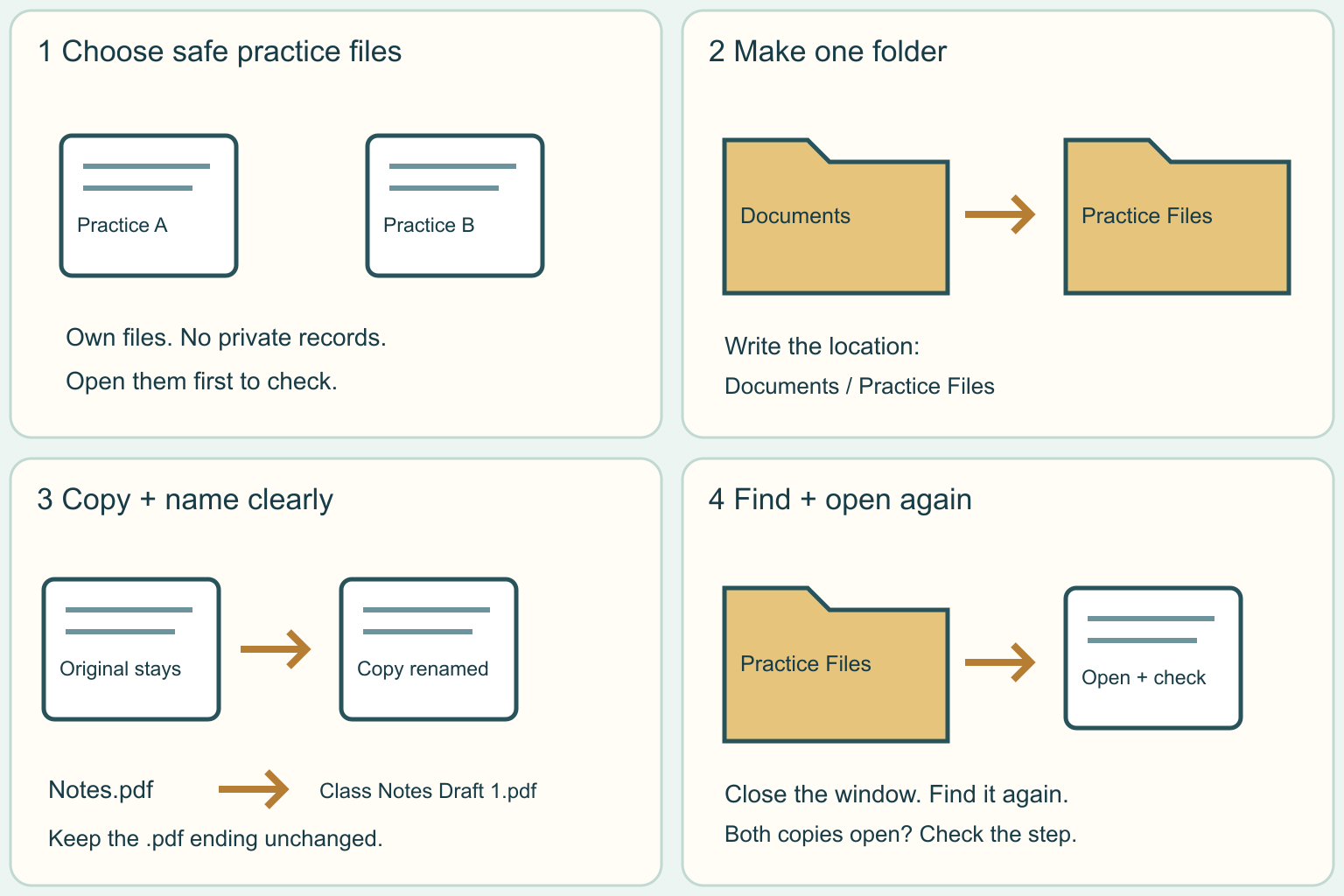
Put computer files in a folder and find them again
Practice with two harmless files. Make a folder, use clear names, and check that you can find and open your copies.
4 clear steps · checklist & download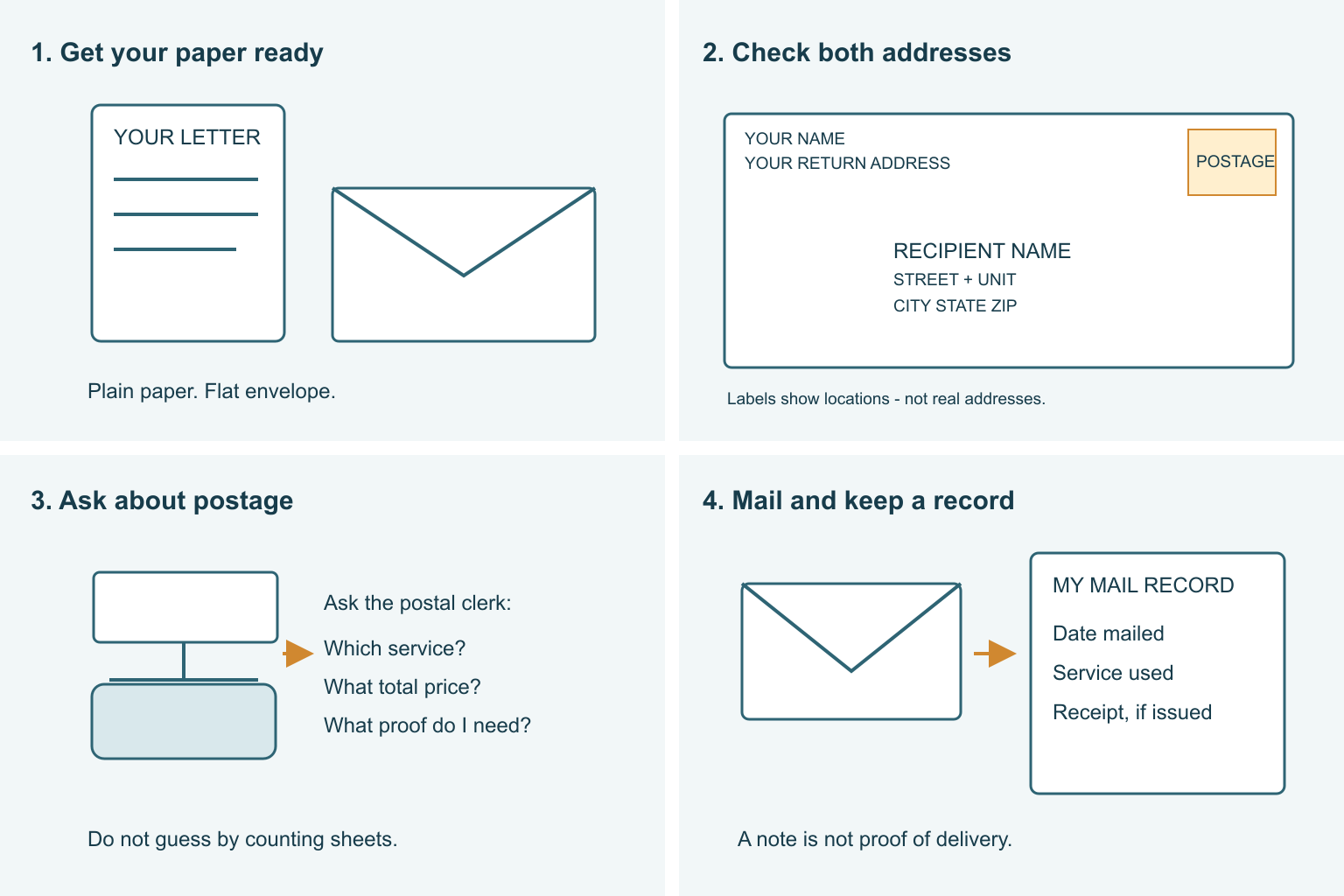
Address and mail a plain paper letter
Learn which address goes where, what postage means, and where to take a simple letter. This guide uses U.S. Postal Service rules; other countries have their own postal instructions.
4 clear steps · checklist & download · YouTube companionReview a written job offer
Compare confirmed terms before making a decision.
4 clear steps · checklist & downloadPrepare your first-day onboarding
Arrive with the right instructions and a manageable list of questions.
4 clear steps · checklist & downloadChildcare search & arrangements: prepare and follow through
Compare practical care needs, review your state’s licensing resources and prepare a provider conversation.
4 clear steps · checklist & downloadIron one shirt using its care label
Choose the allowed heat, work in small sections, and put the iron away safely.
4 clear steps · checklist & download · YouTube companionEveryday words, explained simply
These cleaning and dorm words are also included in Find help. Examples show how to use a word, not a substitute for product or housing instructions.
Cleaning
Removing dirt and many germs with an appropriate cleaner and physical wiping or scrubbing.
Example: Wipe a compatible desk surface using its care instructions.
Source and further explanationSanitizing
Reducing germs to a level considered safe for a particular use. It is different from ordinary cleaning.
Example: Use a product labeled for the specific food-contact task; follow its rinse directions.
Source and further explanationDisinfecting
Using an approved method to kill remaining germs on a suitable surface after cleaning.
Example: Read the product’s germ claims and directions before treating a permitted hard surface.
Source and further explanationContact time
The time a disinfected surface must stay visibly wet, as stated on the product label.
Example: A label’s five-minute wet time means an immediate wipe-off is too soon.
Source and further explanationReady to use
A product supplied for use without mixing, unless its label directs otherwise.
Example: Do not add water merely to make the bottle last longer.
Source and further explanationDilution
Mixing a product with the amount of water specified in its own directions.
Example: Follow the actual label; recipes from a different bottle are not interchangeable.
Source and further explanationSurface compatibility
Whether the product and cleaning method are allowed for the material or finish.
Example: A cleaner suitable for tile may be unsuitable for a finished desk.
Source and further explanationHigh-touch surface
An area people handle often, such as a door handle or light switch.
Example: Include frequently handled areas in your regular cleaning routine.
Source and further explanationHousing rules
Your residence’s requirements for decorations, appliances, and alterations. Different buildings can have different rules.
Example: Check your own hall’s policy before using a removable wall hook.
Source and further explanationClear exit route
A way out that is not blocked by furniture, storage, or decorations.
Example: After rearranging a room, check that the door and walking route remain usable.
Source and further explanationUnder-bed storage
Containers placed in existing permitted space below a bed, without altering the bed.
Example: Measure the opening and try pulling the container out before buying more.
Source and further explanationMultipurpose storage
An item that meets more than one real need in a small room.
Example: An existing desk organizer holds stationery and charging accessories.
Source and further explanationCompatible charger
A charger supplied or recommended by the device manufacturer for that exact device and battery.
Example: Check the model information instead of assuming that a plug that fits is safe.
Source and further explanationDaisy-chain
Plugging one extension cord or power strip into another. Housing policies commonly prohibit this arrangement.
Example: Move the setup to a permitted outlet instead of connecting two strips together.
Source and further explanationBattery warning signs
Changes such as unusual heat, odor, color, shape, leaking, cracking, or odd noises that mean you should stop using the battery.
Example: Unplug only if it is safe, move away, and get emergency help for smoke or fire.
Source and further explanationUse notes for plans and reminders. Keep passwords, account numbers, and sensitive documents in a secure storage service.